

Staying productive sounds simple until real life shows up. Emails pile up. Notifications buzz. Meetings stretch longer than planned. Somewhere between coffee refills and half-finished to-do lists, focus slips away. That’s where productivity apps step in. They don’t magically fix bad habits, but they do give structure to messy days. This guide walks through the best tools for focus, task planning, time tracking, and smoother work efficiency, all through a practical, human lens. No hype. Just what actually helps when work feels scattered.
Productivity apps work like digital guardrails. They keep your day from drifting too far off course. Instead of relying on memory or sticky notes, these tools centralize tasks, time, and attention.
There’s something comforting about seeing your day laid out clearly. Tasks stop floating around in your head. Deadlines feel more real. And oddly enough, stress drops when you stop worrying about forgetting things.
Most productivity tech focuses on three basics:
When those pieces line up, work feels lighter.
Some apps aim to cover everything. Not perfectly, but well enough.
Notion works like a digital notebook crossed with a planner. You can track projects, jot down ideas, or plan weekly goals. It feels flexible, almost too flexible at first, but once it clicks, it’s powerful.
ClickUp leans more structured. Teams love it. Individuals can, too, once they tame the features. It handles tasks, docs, and timelines in one place.
These platforms shine when your work involves many moving parts.
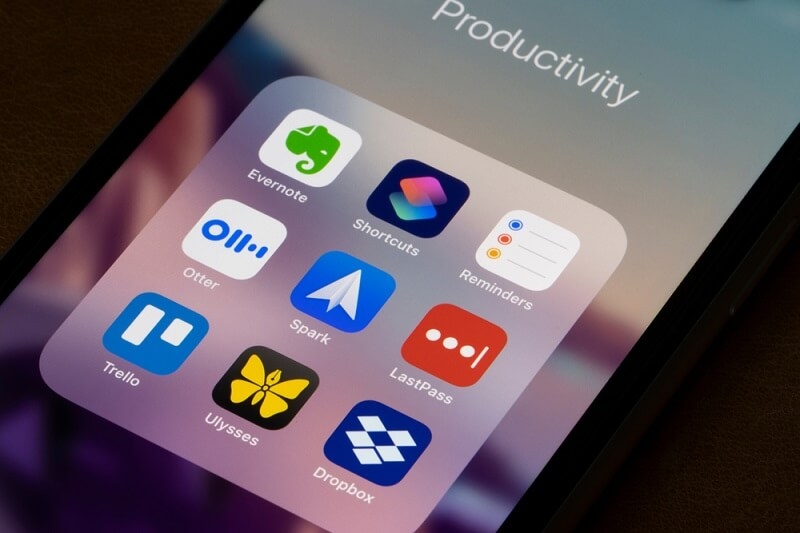
Task management apps focus on one thing: helping you finish what you start. Sounds basic. It’s not.
Todoist is clean and calm. You add tasks, set deadlines, and move on. It’s great for people who don’t want clutter. The app quietly nudges you without shouting.
Microsoft To Do fits naturally into the Microsoft ecosystem. If Outlook is already your home base, this one feels familiar fast.
Sometimes, simple lists beat fancy dashboards, especially on busy Mondays.
Trello uses boards and cards. You see progress move from left to right. It’s oddly satisfying. This works well for creative teams or anyone who likes visual cues.
Asana adds more structure. Timelines, dependencies, project views. It’s serious without feeling stiff. For larger goals, it keeps everyone pointed in the same direction.
Things move fast. Priorities shift before lunch. That’s where apps like Things 3 and TickTick quietly shine.
Instead of staring at one long list, you see only what fits the moment. Quick errands. Deep work. Five-minute wins.
Honestly, this kind of structure helps on days when motivation runs low, but work still needs to happen.
Not every team wants constant check-ins. Some just want clarity. Basecamp takes that approach. Tasks live alongside conversations and files, so context stays intact.
Monday.com leans more towards being visual and customizable. Status updates, timelines, and ownership are clear without feeling overbearing.
The real win here isn’t control. It’s trust. Good task systems make accountability feel normal, not stressful.
Focus tools do something brave. They tell distractions to wait.
Freedom blocks distracting sites across devices. No drama. Just peace. It’s helpful during deep work sessions when self-control feels thin.
Cold Turkey takes a tougher stance. Once blocked, it’s blocked. People who struggle with impulse clicks appreciate that firmness.
You know what? Sometimes willpower isn’t enough. Tools help.
Forest turns focus into a small game. Stay focused, grow a tree. Leave the app, the tree dies. Silly? Maybe. Effective? Surprisingly yes.
Focus Keeper uses short work sessions followed by breaks. It’s simple, rhythmic, and easy to follow when motivation dips.
Time tracking sounds boring until you try it. Then it gets eye-opening.
Toggl Track runs quietly in the background. You start and stop timers. Reports show patterns you didn’t expect. That quick email? It took thirty minutes.
Rescue Time tracks activity automatically. No timers. No effort. Just honest data about habits. It can feel uncomfortable at first, but clarity often is.
Clockify works well for teams and billing. You track hours, assign projects, and export reports. It keeps things transparent.
Harvest combines time tracking with invoicing. Freelancers appreciate that connection. Less admin. More paid work.
Some apps don’t fit neat categories. They quietly smooth workflows.
Zapier connects apps. When one thing happens, another follows. Files move. Tasks appear. Emails send. It reduces small manual steps that drain energy.
IFTTT works similarly but feels lighter. It’s good for simple personal setups.
Automation feels like a silent assistant. Not flashy. Just helpful.
Slack replaces long email chains with channels. When used well, it speeds things up. When overused, it becomes noise. Balance matters.
Microsoft Teams blends chat, meetings, and files. It works best for organizations already using Microsoft tools.
Clear communication saves more time than any timer.
Here’s the thing. No single app fixes everything. Most people use a mix.
If your work is creative, visual tools help. If it’s structured, lists and timelines shine. If distractions rule your day, focus tools matter most.
Try this simple combo:
That’s usually enough.
Ironically, too many productivity apps kill productivity. Notifications multiply. Systems clash. Keep it lean.
Switching tools is tempting. Stick with what works for at least a few weeks before changing.
Apps don’t replace discipline. They support it. Bad days still happen. Some tasks still get delayed.
And that’s okay.
Productivity tech works best when it feels supportive, not demanding. When it helps you notice patterns, protect focus, and finish meaningful work without burnout.
Productivity apps are not about doing more. They’re about doing what matters with less friction. From task management apps that clear mental clutter to focus tools that protect attention, the right mix can change how work feels day to day. Time tracking brings honesty. Automation brings relief. Together, these tools help build calmer, more intentional work habits. The goal isn’t perfection. It’s progress that feels sustainable.
Yes. Even simple daily tasks feel lighter when they’re written down and tracked clearly.
Usually, two or three is enough. More than that can feel overwhelming.
They work especially well for remote teams by improving visibility and communication.
They help build habits over time, especially when paired with realistic expectations and breaks.
This content was created by AI